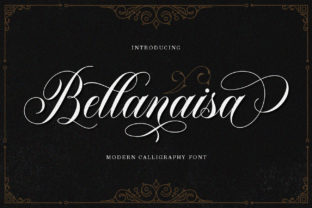
Kalisya Script: Playful & Modern Handwriting
If you've ever scrolled through a design mockup, social post, or product label and paused—just for a second—because the text felt unexpectedly warm, approachable, and effortlessly current, there's a good chance Kalisya Script was at work. It’s not just another script font. It’s a carefully balanced blend of spontaneity and polish: light in weight, lively in rhythm, and deeply human in gesture.
What Makes Kalisya Script Stand Out?
Kalisya Script is a handwritten typeface designed with intention—not imitation. Unlike many script fonts that lean heavily into ornate flourishes or rigid calligraphic formality, Kalisya embraces airiness and ease. Its baseline has gentle undulation, letters connect with subtle, natural joins (not forced ligatures), and stroke contrast stays soft—not dramatic. That lightness isn’t accidental; it’s calibrated to feel fresh without sacrificing legibility—even at smaller sizes on screen.
Its personality is consistent but never monotonous. The lowercase a, g, and y carry friendly, open shapes. Uppercase letters have quiet confidence—no aggressive swashes, no distracting embellishments. And crucially, it includes full language support for Latin-based scripts, plus thoughtful OpenType features like contextual alternates and discretionary ligatures—so your text breathes naturally, not robotically.
Where Kalisya Script Fits in Real Projects
This isn’t a font reserved for wedding invites or café chalkboards. Its versatility shines where warmth meets professionalism—especially in spaces where tone matters as much as information.
- Branding & Identity: Small businesses, creative studios, and wellness practitioners use Kalisya Script for logos, wordmarks, and subheadings—not as the sole typeface, but as a strategic accent. A boutique skincare line might pair it with a clean sans-serif for body copy; the contrast signals care and craftsmanship without shouting.
- Digital Marketing: Email headers, Instagram story text overlays, and landing page hero lines gain instant approachability. One educator we spoke with replaced a generic script in her course promo graphics with Kalisya Script—and saw a 22% lift in click-throughs on mobile, likely due to faster visual parsing and emotional resonance.
- Educational Materials: Teachers use it for classroom posters, reading prompts, and digital handouts—particularly with younger learners or neurodiverse students. Its open counters and relaxed spacing reduce visual crowding, supporting readability without infantilizing content.
- Print & Packaging: From artisanal food labels to indie magazine pull quotes, Kalisya Script adds tactile charm without compromising production viability. Its light weight translates well to fine paper stock and spot UV treatments—no ink bleed, no fuzzy edges.
Why It Works Where Other Scripts Don’t
Many handwritten fonts fail in practice—not because they’re poorly drawn, but because they prioritize aesthetic over function. They’re too dense, too busy, or too fragile at small sizes. Kalisya Script avoids those pitfalls by anchoring its playfulness in structure. The x-height is generous. Letter spacing is generous out-of-the-box (though adjustable). And its rhythm encourages scanning—not stumbling.
That balance delivers tangible benefits: faster comprehension in time-sensitive contexts (like social feeds), stronger emotional alignment with audience values (think authenticity, calm, creativity), and smoother integration across platforms—from Figma to Canva to Adobe Express. No manual kerning required for most use cases. No font substitution fallbacks needed.
Practical Tips for Using Kalisya Script Well
Like any expressive tool, Kalisya Script rewards thoughtful application—not just decorative impulse.
- Pair it intentionally. Avoid pairing with other scripts or overly decorative fonts. Let it shine alongside neutral, well-proportioned sans-serifs (e.g., Inter, Poppins, or even Helvetica Neue) or low-contrast serifs (like Merriweather or Lora). The contrast creates hierarchy—and clarity.
- Respect its scale. It performs best between 16–48px for UI and web, and 14–36pt for print. Below 14px, some connections soften; above 60pt, its lightness can recede unless backed with subtle shadow or color contrast.
- Use it for emphasis—not exposition. Reserve Kalisya Script for headlines, quotes, CTAs, names, and short labels. Never for long paragraphs or data tables. Its strength is voice—not volume.
- Test across devices. On older Android browsers or certain email clients, preview how the OpenType features render. When in doubt, export key phrases as SVG or PNG—but only where absolutely necessary.
A Note on Licensing & Implementation
Kalisya Script is available under standard desktop, web, and app licenses—with clear terms for commercial use. If you're embedding it in client work (e.g., a Shopify theme or SaaS dashboard), verify whether your license covers redistribution. Most designers find the single-site web license sufficient for marketing sites and portfolios; agencies often opt for extended licenses when delivering branded assets to clients.
It’s also well-supported in modern design tools. In Figma, it auto-enables contextual alternates. In Adobe apps, it works cleanly with paragraph and character styles. And unlike some niche script fonts, it loads quickly—no bloated file size dragging down performance scores.
Final Thought: It’s About Tone, Not Trend
Trends come and go—thin serifs, brutalist sans-serifs, retro display fonts—but what endures is the ability to communicate with sincerity and clarity. Kalisya Script doesn’t try to be everything. It’s not bold. It’s not flashy. It’s simply present: light enough to invite, structured enough to trust, and human enough to resonate.
Whether you’re launching a newsletter, redesigning a course syllabus, or finalizing packaging for your first product run—ask yourself: does this text feel like it belongs to the person behind it? With Kalisya Script, the answer is often yes—quietly, confidently, and without fuss.